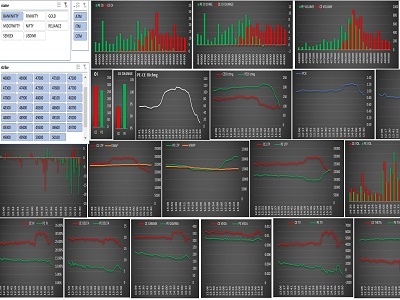
Multi Symbol Option chain Analysis Excel with Live tick data live Greeks value and Trading function No need of python or any other software. Product is available for Angelone, Zerodha , Upstox, Alice blue, Flattrade, IIFL, Jainam, Finvasia(shoonya) and Kotakneo Files you receive when you purchase software - one exe file, one login excel file, TRADEONLEVEL_multioptionchain Excel file In this excel Multiple symbol option chain analysis can be done with help of selection of nearby strike range. Less strike range you select more symbols option chain can be analyzed. Symbols can be updated automatically with one click. Details of that given in videos. In this sheet Many automated sample analysis function have been added for automatic analysis of future data and option chain data. Analysis calculation are added just as sample and not any recommendation for trading. Do not follow anything blindly use your own logic as this is just a tool for advance data analysis and trading. No One will be responsible for any profit or loss done by you. Important informations about software:- 1)- System requirements:- Windows 10 or higher, Excel ( any version) 2)- Details of live data that comes in this sheet LTP, OPEN, HIGH, LOW, PRE CLOSE, OI, VOLUME, VWAP, TOTAL BUYQTY, TOTAL SELLQTY, Bid Qty, Bid Price, Ask Price, Ask Qty, IV, DELTA, GAMMA, THETA, VEGA, RHO 3)- Paper Trading, Manual Trading and Algo trading can be done in live market. If any strategy is set than that can be live test with paper trading function 4)- This Product is available at one time charge. 5)- When you will purchase you have to provide Demat Login id , Broker name and Gmail id. 6)- No password or No api needed just login id needed to set product on your login id to avoid misuse. Rest all details you have to write in excel and no one can see it and no strategy that you set in excel can be seen by any others as this product is only linked with your broker server other than your broker server this product is not related to any other server so this product will work till your system is open and till your Internet connection is working. if any of these stops live data and trading will stop. 7)- One product can be used with one login id and in one broker. 8)- Login id can be transferred or new login id of same broker can be added on charges. But product of one broker can not be used in other broker. 9)- Maximum symbols to fetch Live data depends on Broker api limit 10)- Any segment symbols live data can be fetched and can be trade that is activated in your demat and available in api 11)- Excel is fully open and you can add macro or set your formula for entry exit also. But first understand how the columns work. Do not delete any column or insert new column in excel rest watch videos for more details 12)- Many clients use this file on cloud server but currently no support for that is provided by us so if you want to run this files on cloud you have to set that on your own. 13)- In mac these files run with help of wine bottler 14)- Google drive links are there to download files and any future updates (till 5years) will be available in same google drive links so same google drive links can be used to download updated files. Updates will be available till 5 years 15)- Details of how to download files , how to do first time setting is already available in this course so watch videos to understand that. 16)- Mtm and Open position in Live sheet is calculated within excel and not with actual position in your demat. So if you exit any position from broker website or broker app than excel did not recognized that trade and will follow whatever you have set in excel. To stop trading from excel close exe file or change setting of trading from algo to manual 17)- Order Book, Positions, Margin, Holding can be seen from the given pages in excel 18)- One time Any desk support is provided Free of cost till file successfully run in your system and if needed necessary suggestion for setting will be given. 19)- No setting of candlestick data is available in this product For any other queries contact on whatsapp 9898343029 After payment send payment screenshot with login id, broker name and Gmail id at whatsapp number 9898343029 Files will be sent to given gmail id within 24 hours and after files are sent confirmation message will be given in whatsapp. Update support available till 5 years from date of purchase